
-12%
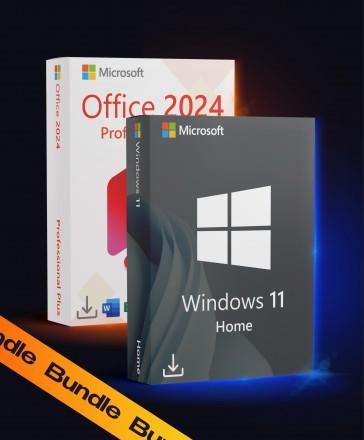
Windows 11 Home + Office 2024 Pro Plus
Platform
Windows
Release Date
October 1 2024
Delivery payment
Instant Digital Delivery
Region
Worldwide
Languages
 English
 Spanish
 French
English
Spanish
French
+14 +15
French
German
Italian
Portuguese
Dutch
Polish
Romanian
Czech
Ukrainian
Arabic
Turkish
Japanese
Korean
Russian
Chinese
About this product
Microsoft Windows 11 Home + Office 2024 Pro Plus – Lifetime License
Microsoft Windows 11 Home + Office 2024 Pro Plus is a complete software bundle designed for home users, professionals, and advanced users who need a modern operating system and powerful Office applications for work, study, and everyday productivity.
✔ One-time purchase
✔ No monthly fees
✔ Complete bundle for home and productivity
What’s Included in Windows 11 Home + Office 2024 Pro Plus?
- Windows 11 Home – Modern operating system for everyday work, study, and entertainment
- Word 2024 – Professional document creation and editing
- Excel 2024 – Advanced spreadsheets, formulas, charts & data tools
- PowerPoint 2024 – Modern presentations with polished visual tools
- Outlook 2024 – Email, calendar and task management
- Access 2024 – Database creation and management tools
- OneNote – Digital note-taking and organization
Why Choose Windows 11 Home + Office 2024 Pro Plus?
- Complete productivity bundle for home and professional use
- Includes a modern operating system and classic Office apps
- Designed for work, study, multitasking, and everyday efficiency
- Optimized for Windows systems
System Requirements
- Minimum: Windows 11 Home; 2-core 1.1 GHz; DirectX 12; 4 GB RAM; 64 GB storage
- Recommended: Windows 11 Home; 4-core 2.0 GHz; DirectX 12; 8 GB RAM; 128 GB SSD free space
- Internet connection for setup and activation
License Information
- License type: Windows 11 Home (Retail) + Office 2024 Pro Plus (LTSC), both lifetime (one-time purchase)
- Activation: Digital product key
- Devices: 1 PC
- Delivery: Instant digital delivery
Upgrade your PC today with Microsoft Windows 11 Home + Office 2024 Pro Plus and enjoy a complete, modern, and productive software solution.


Requirements
Minimum
System:
Windows 11 Home
Processor:
2-core 1.1 GHz
Graphics:
DirectX 12
Memory:
4 GB RAM
Storage:
64 GB available disk space
Recommended
System:
Windows 11 Home
Processor:
4-core 2.0 GHz
Graphics:
DirectX 12
Memory:
8 GB RAM
Storage:
128 GB SSD free space
How to activate
How to Activate Windows 10 and Windows 11 with a Product Key
- Copy the key rather than retyping it — the letters O and I never appear in it, those are zeros and ones.
- Open Settings → System → Activation (Windows 10: Update & Security → Activation) and expand Change product key.
- Paste the key and click Activate. If it will not go through, you can use the Microsoft Activation Portal instead.
How to Activate Microsoft Office (2019, 2021 and 2024) on Windows
- Install the correct Office edition first. Remove any older Office or Microsoft 365 installation before you do.
- Open Word or Excel, then File → Account → Change Product Key.
- Paste the 25-character key and confirm. If it is refused, you can use the Microsoft Activation Portal instead.
Instant Delivery
Digital Key
$20.98
$18.49
Friendly Return Policy
Fast Checkout process
Convenient Payment Options
Windows 11 Home + Office 2021 Pro Plus
$22.48
$17.59
-22%
Windows 10 Pro + Office 2019 Pro Plus
$17.68
$13.69
-23%
Windows 10 Home + Office 2019 Pro Plus
$14.98
$12.39
-17%
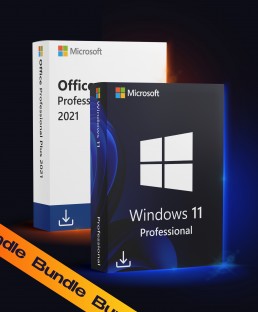
Windows 11 Pro + Office 2021 Pro Plus
$24.98
$17.99
-28%
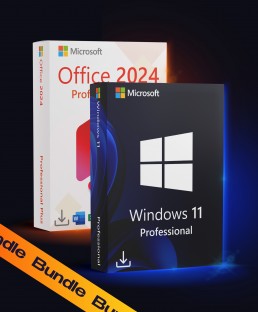
Windows 11 Pro + Office 2024 Pro Plus
$23.48
$19.99
-15%
