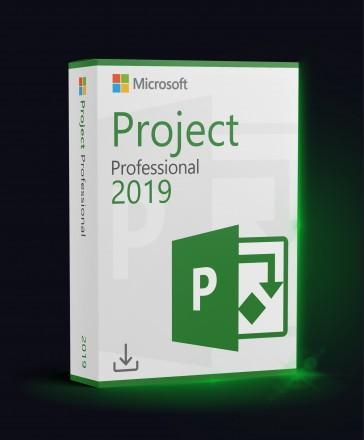
Microsoft Project Professional 2019 Retail
Platform
Windows
Release Date
September 24 2018
Delivery payment
Instant Digital Delivery
Region
Worldwide
Languages
 English
 Spanish
 French
English
Spanish
French
+14 +15
French
German
Italian
Portuguese
Dutch
Polish
Romanian
Czech
Ukrainian
Arabic
Turkish
Japanese
Korean
Russian
Chinese
About this product
Microsoft Project Professional 2019 – Lifetime License
Microsoft Project Professional 2019 is a professional project management solution designed for businesses, project managers, and advanced users who need powerful planning, scheduling, and resource management tools without a subscription.
✔ One-time purchase
✔ No monthly fees
✔ Advanced project planning tools for business use
What’s Included in Project Professional 2019?
- Project planning tools – Organize tasks, milestones, and schedules more efficiently
- Timeline management – Build clear project timelines and track progress visually
- Resource management – Assign people and workloads across projects more effectively
- Built-in templates – Start faster with ready-made project templates
- Professional scheduling – Improve task planning, dependencies, and project flow
- Digital activation – Product key for activating Project Professional 2019 on 1 PC
Why Choose Project Professional 2019?
- Professional project management solution for business and team workflows
- Designed for planning, scheduling, and resource management
- Helps manage timelines, assignments, and project tracking more efficiently
- Optimized for Windows systems
System Requirements
- Minimum: Windows 10 / Windows 11; 2-core 1.6 GHz; DirectX 9; 4 GB RAM; 4 GB storage
- Recommended: Windows 10 / Windows 11; 4-core 2.0 GHz; DirectX 9; 8 GB RAM; 10 GB SSD free space
- Internet connection for activation
License Information
- License type: Retail, lifetime (one-time purchase)
- Activation: Digital product key
- Devices: 1 PC
- Delivery: Instant digital delivery
Manage projects more efficiently with Microsoft Project Professional 2019 and keep timelines, resources, and tasks under control.


Requirements
Minimum
System:
Windows 10
Processor:
2-core 1.6 GHz
Graphics:
DirectX 9
Memory:
4 GB RAM
Storage:
4 GB available disk space
Recommended
System:
Windows 11
Processor:
4-core 2.0 GHz
Graphics:
DirectX 9
Memory:
8 GB RAM
Storage:
10 GB SSD free space
How to activate
How to Activate Microsoft Visio and Project
- Match the Office you already have — same version year, same 32-bit or 64-bit build. Check it in Word → File → Account → About Word.
- Install Visio or Project, then open it and go to File → Account → Change Product Key.
- Enter the 25-character key, confirm, and restart the application when it asks. If it is refused, you can use the Microsoft Activation Portal instead.
Instant Delivery
Digital Key
$9.88
Friendly Return Policy
Fast Checkout process
Convenient Payment Options